

Ordering made easy and fast via our Axonlab App!
- 5 Minutes to read
- Written by Axon Lab AG
- Corporate

Are you familiar with our Axonlab app? Tedious creation of manual order lists or typing in order numbers is a thing of the past. With the Axonlab app, you can place orders quickly and easily right from your smartphone – exactly when the need arises.
You have several options: via QR codes on the device, by scanning the “Data Matrix code” on the packaging, using the search function, with shopping lists or via the “My devices” view.
And the app can do even more. It shows you your recent orders, gives you access to invoices and lets you manage your devices, all in one convenient application.
Download the Axonlab app now from the Play Store or App Store and simplify your everyday practice.

To access the app, simply log in using your customer portal login details. If you don’t have an account yet, you can register on our website.
Instructions on the registration process can be found here.
Various ordering options in the app
1. By scanning device QR codes
1. Open the customer portal in our webshop. There you will find your personal list of QR codes for your devices. Download and print it.
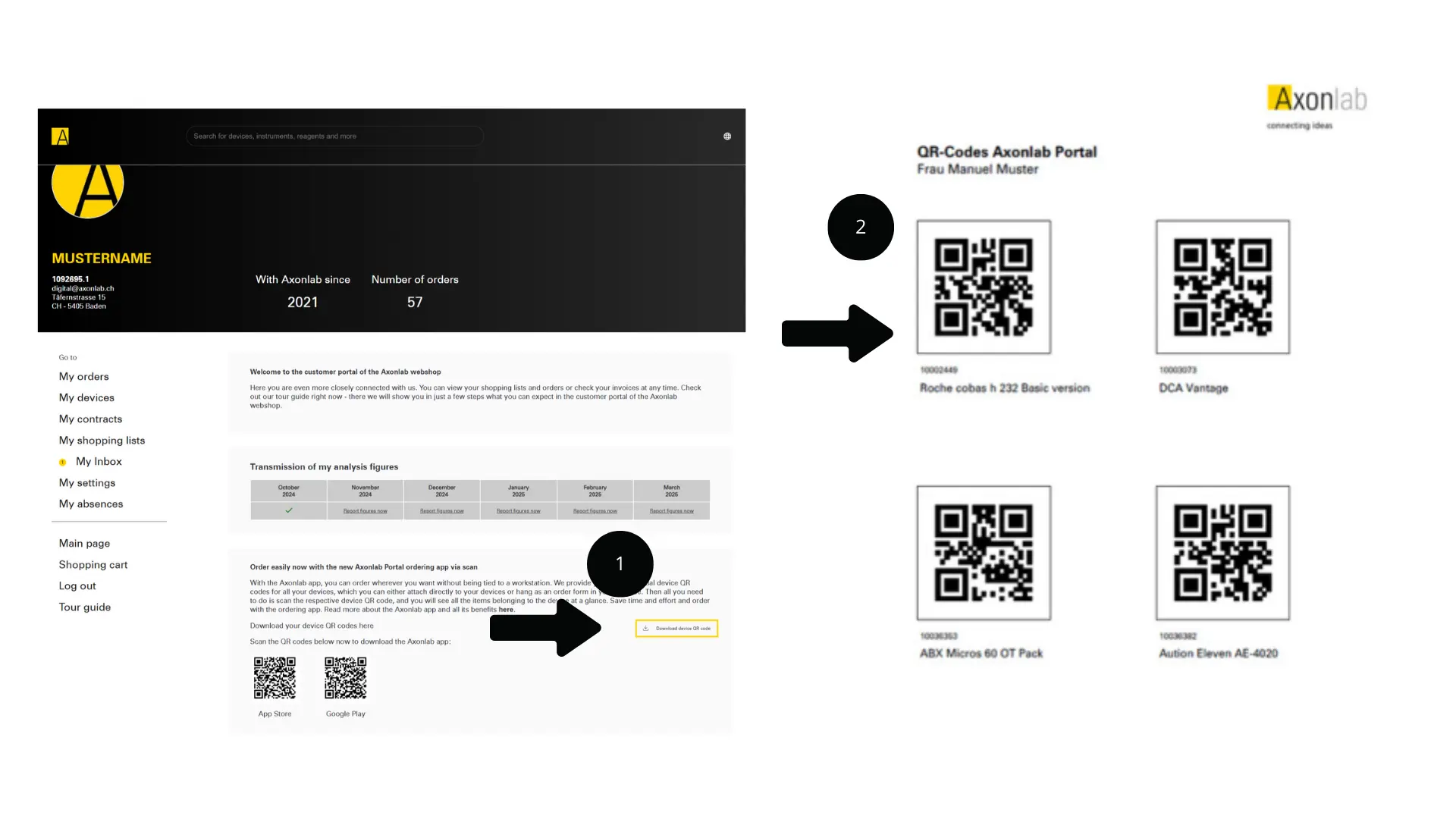
2. Scan the QR code of the desired product. Tip: You can print the QR codes as labels and attach them directly to the devices.
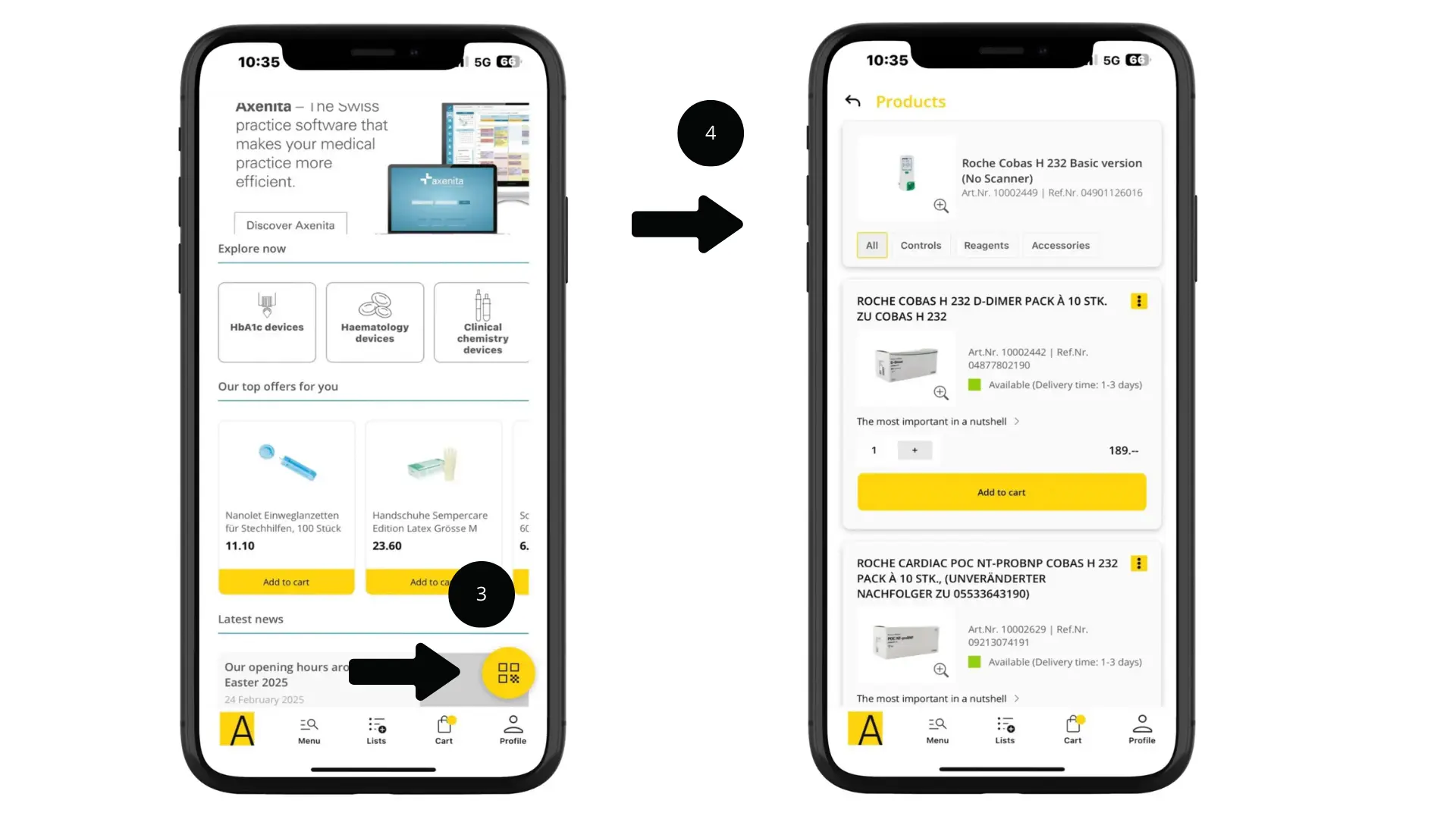
3. Click the round yellow button in the bottom right to open your camera and scan the corresponding QR code.
4. The recognised device will be displayed. Add the desired products to your shopping cart.
2.By scanning the Data Matrix code on the packaging
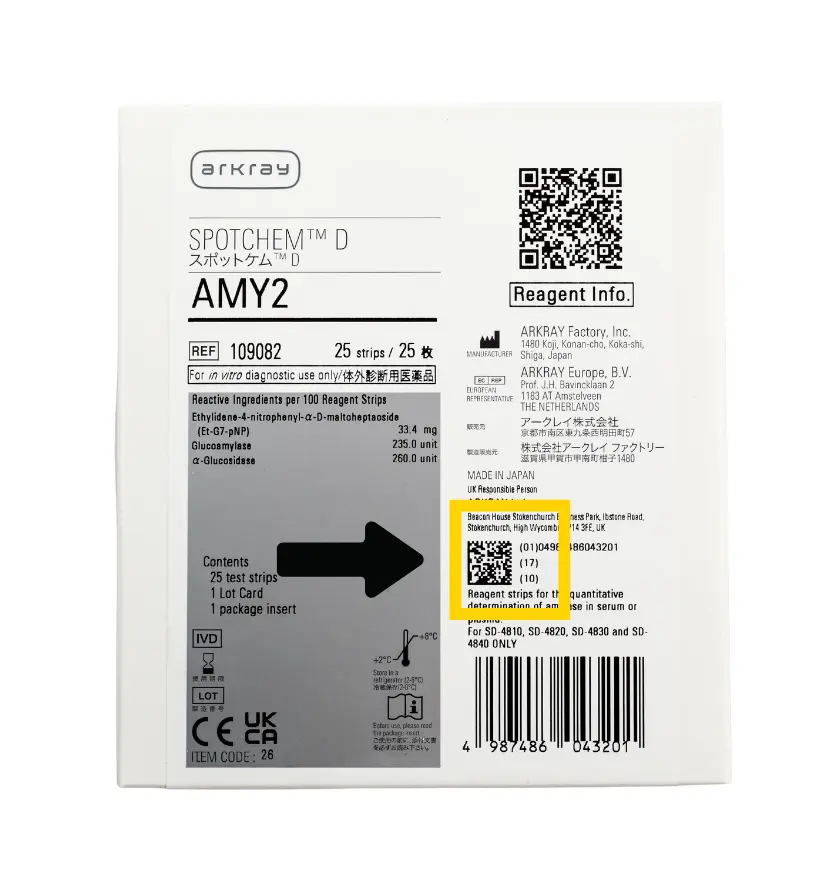
Alternatively, for many Axonlab products, you can scan the “Data Matrix code” printed on the packaging. This will display the corresponding product directly in the app, without having to manually search.
Unlike QR codes, Data Matrix codes have a distinctive L-shaped border in the lower left-hand corner for better alignment.
3.Using the search function
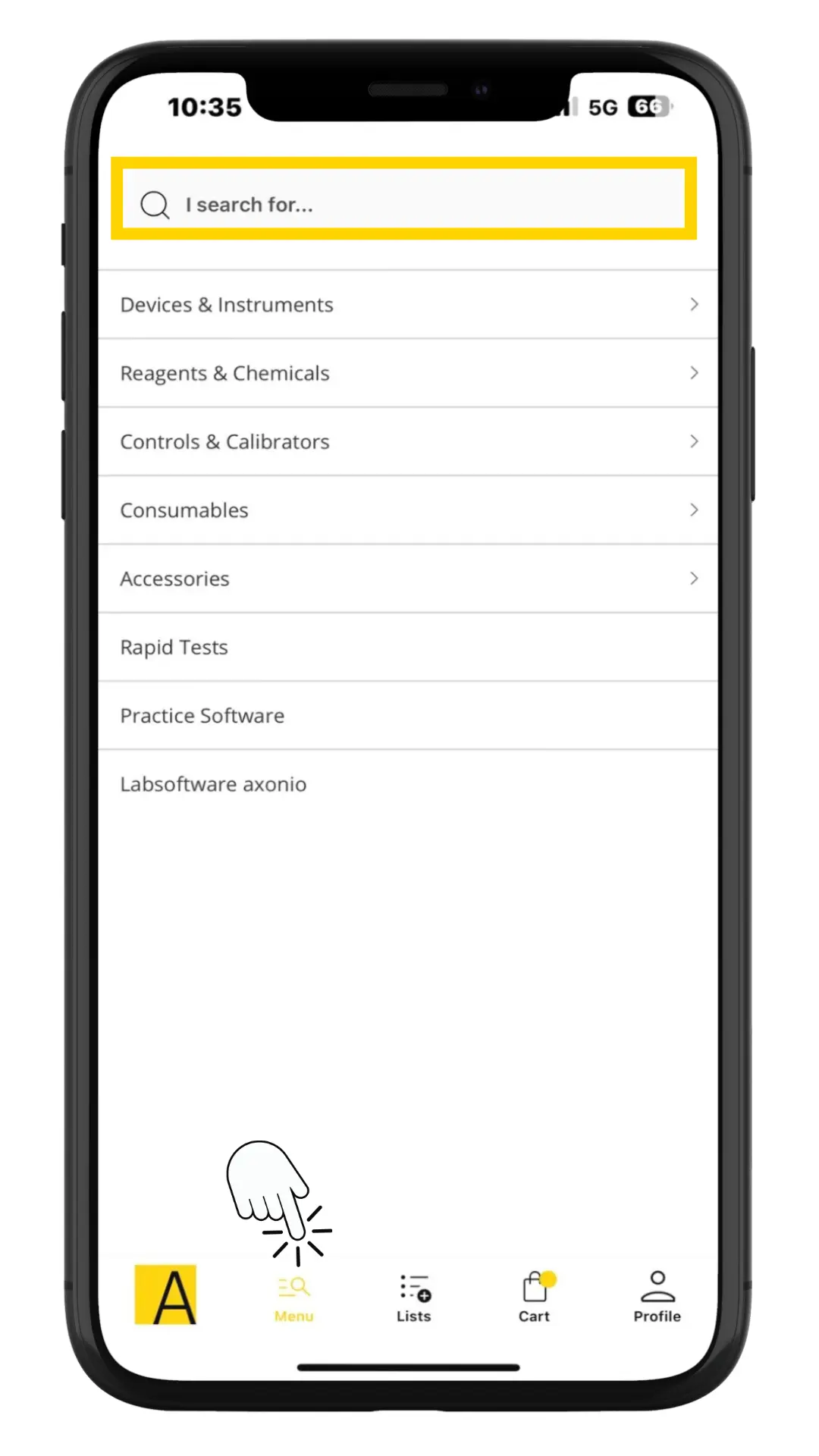
Simply enter the item number, the product name or the manufacturer’s item number in the search field and you’ll find the product you’re looking for.
4.Using shopping lists
You can access your shopping lists via the “Lists” menu.
A list is created automatically and contains all the products that belong to your registered devices.
You can create additional lists by clicking the plus sign (+) and adding products manually.
Tip:
This allows you to easily and efficiently reorder products you need on a regular basis.
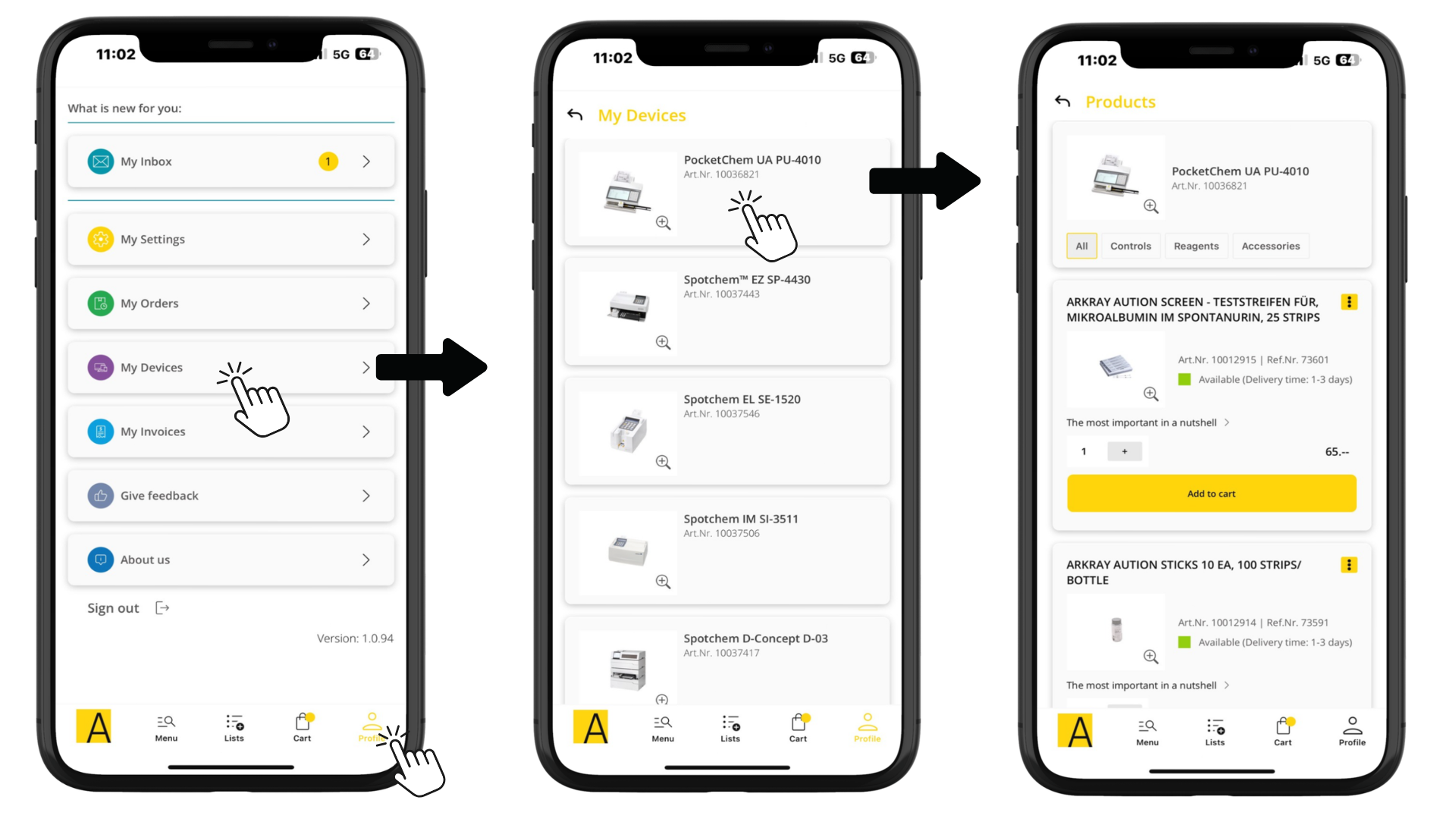
5.Via "My Devices"
- Go to your profile.
-
Select the device for which you need products.
- Add the desired products to the shopping cart. Tip: You can also filter by “all products”, “controls”, “reagents” and “accessories”.
Tip:
Even if you’ve already discarded the packaging and can no longer scan the code, you can still find the right reagents and accessories here.
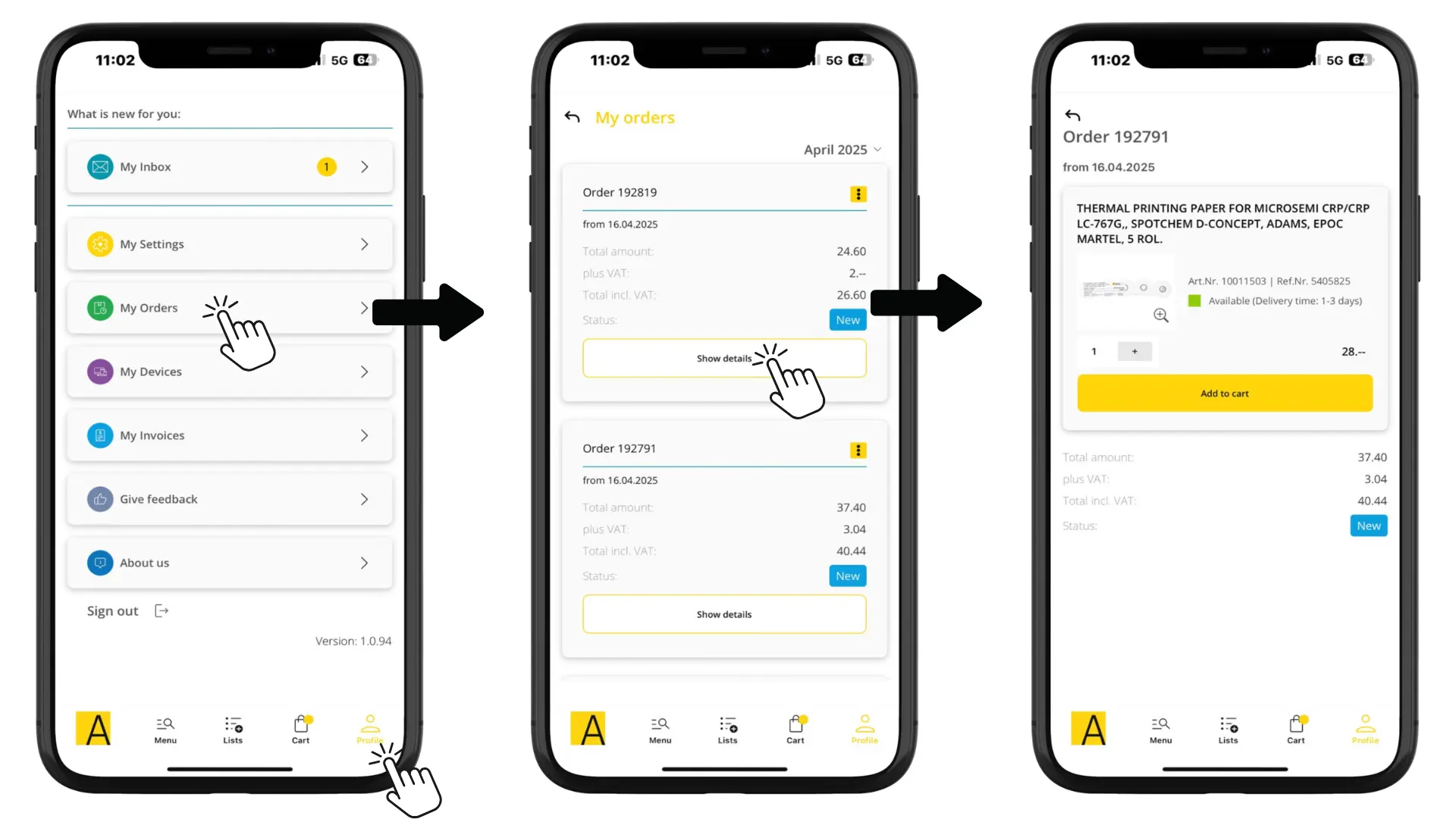
6.Via "My Orders"
- Go to your profile.
- Select a previous order from which you would like to reorder.
- Add the desired item to the shopping cart or select “Add all”.
Discover more features of our app
Via the “Profile” menu item, you can see all categories in the customer portal, including:
- Simple overview of your orders
- Access to your devices
- Quick retrieval of your invoices
Enjoy our app! 😀
#WeCare about your opinion!
Do you have any suggestions or is the app missing a feature? Our team welcomes your feedback!
Submit your feedback directly in the app in the “Profile” section under “Give feedback”.
Other contact options:
General feedback
Phone. +41 56 484 80 80
email: info@axonlab.ch
Technical questions about the application
digital@axonlab.ch